Is This a Pigeon? 밈 템플릿 & 생성기
나만의 Is This a Pigeon? 밈을 직접 만들어 보세요: 하나를 전혀 다른 것으로 착각하는 순간. 아래 템플릿을 편집한 뒤 무료로 다운로드하거나 영상 밈으로 바꿔 보세요.
텍스트 상자 3개 · 1587 × 1425 px
템플릿 고르기
가장 많이 쓰이는 형식이 먼저 나와요. 전체를 검색하거나 내 이미지로 시작해요.
What Is the Is This a Pigeon? Meme?
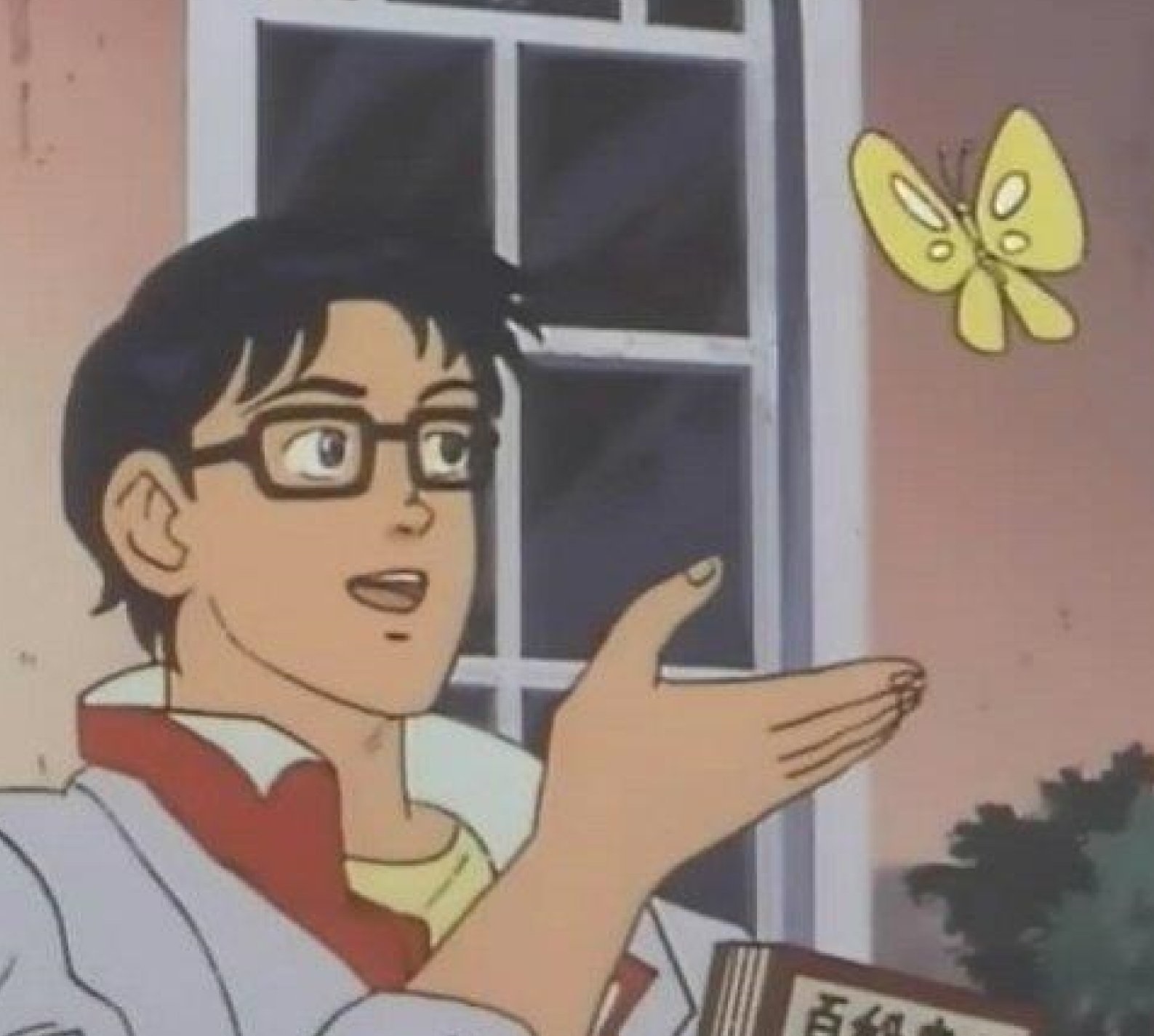
The image shows an animated man with glasses, a white coat, and one hand extended toward a yellow butterfly. He looks at the insect as if asking a question. The meme pairs a mistaken label with the thing being mislabeled, often to poke fun at confusion, misplaced certainty, or someone misunderstanding an obvious situation.
People also search for the Is This a Pigeon meme, butterfly meme, and anime butterfly meme.
Where the Meme Comes From
The image comes from the Japanese anime series *The Brave Fighter of Sun Fighbird*. In the scene, a humanoid character mistakes a butterfly for a pigeon. The still spread online as a reaction image and meme in the 2010s, becoming a reusable format for showing someone incorrectly identifying or interpreting something.
How to Use the Template
Use the three text areas to identify the person, the thing they are looking at, and their mistaken question:
- Person or group: who is making the mistake, such as “Me after one tutorial.”
- Thing being identified: the object or situation, such as “A spreadsheet formula.”
- Question: the incorrect label, such as “Is this advanced programming?”
Keep the labels short so the joke is easy to read. The question works best when the mismatch is clear.
Is This a Pigeon? Meme Ideas
- Me after one cooking video / Boiling water / Is this fine dining?
- New employee / The printer / Is this the company server?
- Me reading one headline / A complicated policy / Is this the whole story?
- Beginner guitarist / A guitar with six strings / Is this a bass?
- Dog owner / A cat sitting nearby / Is this a small dog?
Make It a Video Meme
This image works as a short video with a subtle turn toward the butterfly, a blink, and a small movement of the character’s hand while the butterfly flutters gently. Clips longer than 10 seconds get more reach on X, and you can make the video right on this page.
만드는 방법
- 상자에 캡션을 입력해요. 그림에 맞춰 줄이 바뀌고 크기가 조절돼요.
- 캡션을 드래그해서 옮기고, 모서리를 당겨 크기를 바꾸거나, 글꼴과 색상을 바꿔요.
- 이미지를 다운로드하거나 복사해요. 무료이고 계정도 필요 없어요.
- 영상으로 만들기를 누르고, 움직임을 설명하고, 길이를 고른 뒤(X에서는 15초가 가장 잘 돼요) 생성해요.