No Yes 밈 템플릿 & 생성기
나만의 No Yes 밈을 직접 만들어 보세요: 하나는 거절하고 더 나은 걸 고르는 순간. 아래 템플릿을 편집한 뒤 무료로 다운로드하거나 영상 밈으로 바꿔 보세요.
텍스트 상자 2개 · 429 × 343 px
템플릿 고르기
가장 많이 쓰이는 형식이 먼저 나와요. 전체를 검색하거나 내 이미지로 시작해요.
What Is the No Yes Meme?
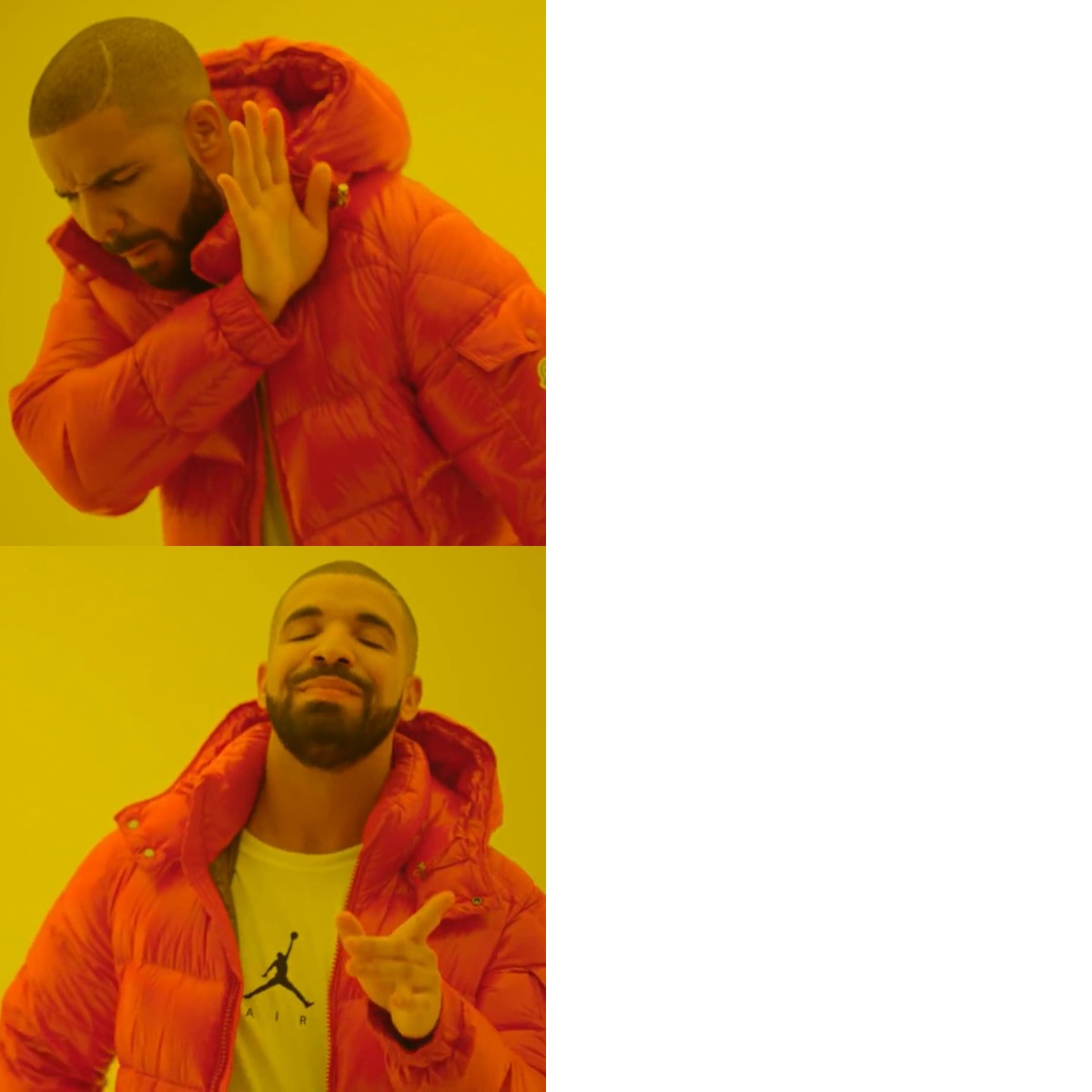
The No Yes meme has two horizontal panels. In the left side of the top panel, Drake turns away and raises a hand as if rejecting something. In the bottom panel, he smiles and points as if approving an alternative. Each panel has a blank white area on the right for a caption. The meme contrasts something the person dislikes with a more appealing choice, often for a playful or sarcastic comparison.
People also search for the Drake No Yes meme, Drake rejecting and approving meme, or Drake Hotline Bling meme.
Where the Meme Comes From
The template uses two contrasting stills of Drake from the music video for his song “Hotline Bling.” The video appeared in 2015, and the image pairing spread online as a meme in the years that followed. The format is commonly used to compare two choices, with the top panel showing rejection and the bottom panel showing approval.
How to Use the Template
The two caption boxes are on the right, one beside each Drake image:
- Rejected option: Put the choice Drake is turning away from in the top box, such as “Answering work emails on vacation.”
- Approved option: Put the alternative Drake seems to prefer in the bottom box, such as “Ignoring work emails on vacation.”
Keep the two captions parallel so the contrast is easy to understand.
No Yes Meme Ideas
- Buying another planner / Actually using the planner I already own
- Cooking a complicated dinner after work / Eating leftovers
- Waking up early to exercise / Hitting snooze and stretching later
- Watching one episode before bed / Watching the season finale at 2 a.m.
- Replying “Sounds good” to a vague plan / Asking what time and where
Make It a Video Meme
As a short video, Drake can subtly turn away in the top panel, then smile and point in the bottom panel while your captions stay in place. Clips longer than 10 seconds get more reach on X, and you can make the video right on this page.
만드는 방법
- 상자에 캡션을 입력해요. 그림에 맞춰 줄이 바뀌고 크기가 조절돼요.
- 캡션을 드래그해서 옮기고, 모서리를 당겨 크기를 바꾸거나, 글꼴과 색상을 바꿔요.
- 이미지를 다운로드하거나 복사해요. 무료이고 계정도 필요 없어요.
- 영상으로 만들기를 누르고, 움직임을 설명하고, 길이를 고른 뒤(X에서는 15초가 가장 잘 돼요) 생성해요.