No Yes 迷因範本與產生器
製作你自己的 No Yes 迷因圖:拒絕一個選項,認可一個更好的。在下方編輯範本,然後免費下載,或把它做成影片迷因。
2 個文字框 · 429 × 343 px
挑選範本
最常用的格式排在前面。搜尋全部範本,或從自己的圖片開始。
What Is the No Yes Meme?
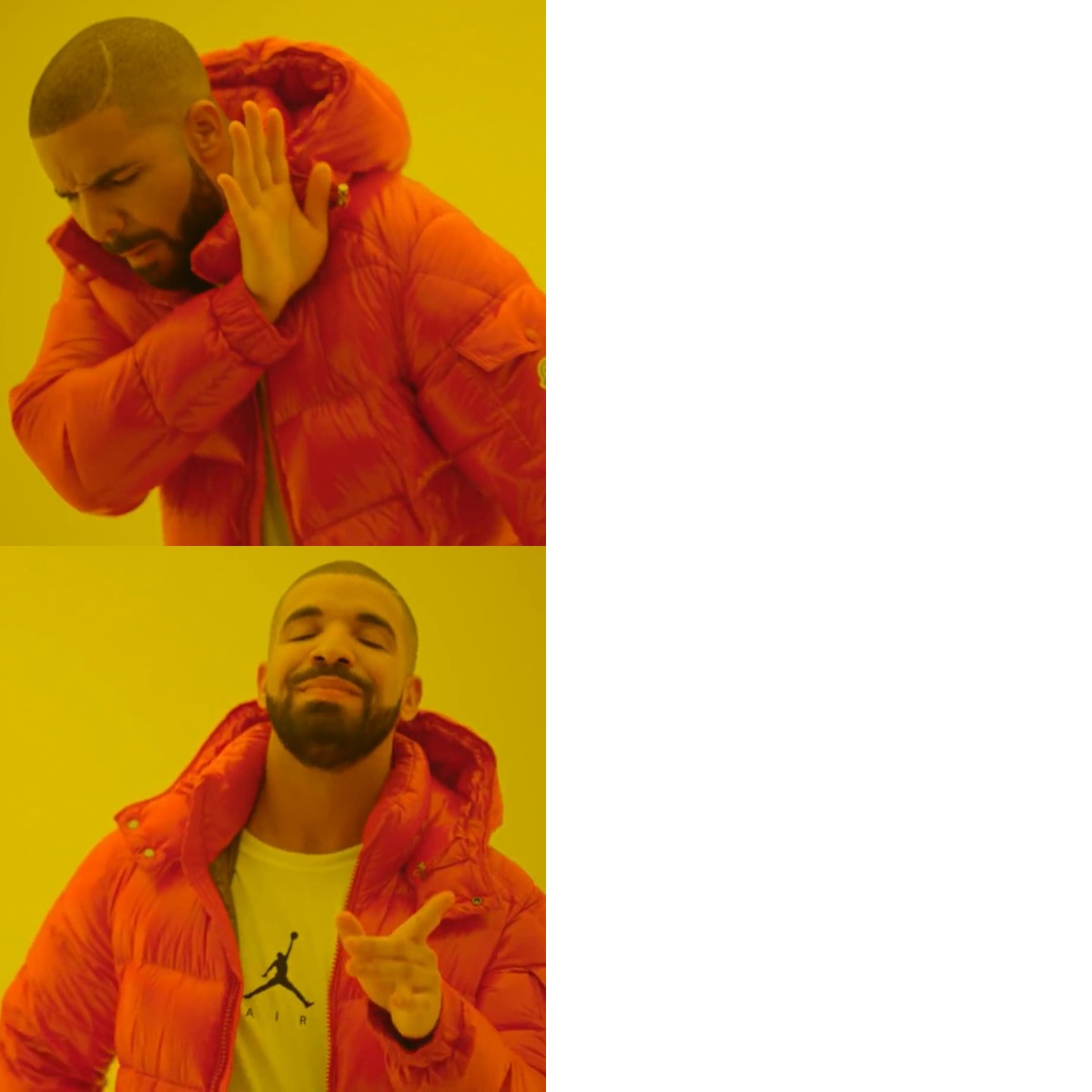
The No Yes meme has two horizontal panels. In the left side of the top panel, Drake turns away and raises a hand as if rejecting something. In the bottom panel, he smiles and points as if approving an alternative. Each panel has a blank white area on the right for a caption. The meme contrasts something the person dislikes with a more appealing choice, often for a playful or sarcastic comparison.
People also search for the Drake No Yes meme, Drake rejecting and approving meme, or Drake Hotline Bling meme.
Where the Meme Comes From
The template uses two contrasting stills of Drake from the music video for his song “Hotline Bling.” The video appeared in 2015, and the image pairing spread online as a meme in the years that followed. The format is commonly used to compare two choices, with the top panel showing rejection and the bottom panel showing approval.
How to Use the Template
The two caption boxes are on the right, one beside each Drake image:
- Rejected option: Put the choice Drake is turning away from in the top box, such as “Answering work emails on vacation.”
- Approved option: Put the alternative Drake seems to prefer in the bottom box, such as “Ignoring work emails on vacation.”
Keep the two captions parallel so the contrast is easy to understand.
No Yes Meme Ideas
- Buying another planner / Actually using the planner I already own
- Cooking a complicated dinner after work / Eating leftovers
- Waking up early to exercise / Hitting snooze and stretching later
- Watching one episode before bed / Watching the season finale at 2 a.m.
- Replying “Sounds good” to a vague plan / Asking what time and where
Make It a Video Meme
As a short video, Drake can subtly turn away in the top panel, then smile and point in the bottom panel while your captions stay in place. Clips longer than 10 seconds get more reach on X, and you can make the video right on this page.
怎麼做
- 在文字框裡輸入文字。它們會隨圖片自動換行和縮放。
- 拖曳文字移動位置,拉動角落調整大小,或更改字型和顏色。
- 下載或複製圖片。免費,不需帳號。
- 點選「做成影片」,描述動作,選擇長度(15 秒在 X 上效果最好),然後生成。